


OnlyFans subscriptions reward planning more than enthusiasm. If you want to follow several creators on a fixed monthly budget, the portfolio approach — rotating access instead of stacking subscriptions — keeps costs predictable. This guide explains how billing anchors work, how to stagger renewal dates, and how BestOnlyFans ranking data helps you decide which creator deserves the next slot in your rotation.
Most subscribers discover the problem the same way: three or four renewals land in the same week, the card statement looks alarming, and nothing about the content schedule justified the overlap. Rotation solves that, but only if you understand how the platform’s monthly billing actually behaves.

The Portfolio Problem: Why Simultaneous Subscriptions Multiply Costs
A subscription portfolio is simply the set of creators you fund in a given month. The mistake is treating it like a collection to maintain rather than a schedule to manage. Each active subscription bills on its own monthly anchor, and anchors do not coordinate with each other.
Four paid subscriptions at $10 each cost $40 every month, every year — roughly $480 annually. Rotating one $10 slot per month still gives you twelve creator-months per year, but the outlay stays near $10 monthly, or about $120 annually.
- Simultaneous model: four $10 subscriptions active year-round = $40 per month, $480 per year.
- Strict rotation: one $10 subscription per month = $10 per month, $120 per year, twelve creator-months.
- Two-slot hybrid: two $10 subscriptions rotating = $20 per month, $240 per year, twenty-four creator-months.
- Mixed tiers: one $4.99 plus one $15 subscription rotating = $19.99 per month at the top end of the cycle.
Simultaneous subscriptions multiply charges by the number of creators, while rotation multiplies charges by the number of active slots you choose. Slots are the budget lever.
Tip: before adding a fourth subscription, calculate your real annual run rate — monthly price times twelve, times the number of active creators. Most people underestimate this figure by half.
Understanding OnlyFans Monthly Billing Anchors
When you subscribe on a given date, that date becomes your billing anchor. The platform charges again on the same calendar day each month until you cancel or the creator changes the price.
This is why a casual subscriber ends up with charges clustered around the 1st, 7th, and 15th of the month. If all three land inside one budget window, that window is overloaded while the rest of the month is empty.

Subscribing on the 20th means the next charge arrives on the 20th of the following month, giving you roughly four weeks of access inside one budget period rather than straddling two. A second mechanic matters here: when a creator raises their price, auto-renew stops and your existing access continues until the paid period ends.
Why the Platform Has No Built-In Scheduling
There is no native watchlist, no renewal calendar, and no spending forecast tool. The subscription list shows next charge dates, but nothing aggregates them into a monthly total for you.
Rotation Strategies: Sequential Access versus Parallel Subscriptions
There are three workable rotation models, and the right choice depends on your monthly ceiling rather than on how many creators you like.

- Strict monthly alternation: one subscription slot, a new creator each month, maximum diversity with no continuity.
- Seasonal deep-dives: three-month blocks with one creator, fewer creators per year but deeper archive coverage.
- Hybrid core-plus-exploration: one or two stable subscriptions plus a rotating third slot for testing new creators.
| Strategy Type | Monthly Cost Ceiling | Annual Creator Diversity | Trade-offs |
|---|---|---|---|
| Simultaneous (4 slots) | $15-$50+ depending on tiers | 4 creators, continuous | Highest cost, no gaps in access |
| Strict rotation (1 slot) | $4.99-$15 | 12+ creators per year | Gaps between visits, archives missed |
| Hybrid (2-3 slots) | $15-$30 | 6-10 creators per year | Balanced, needs calendar discipline |
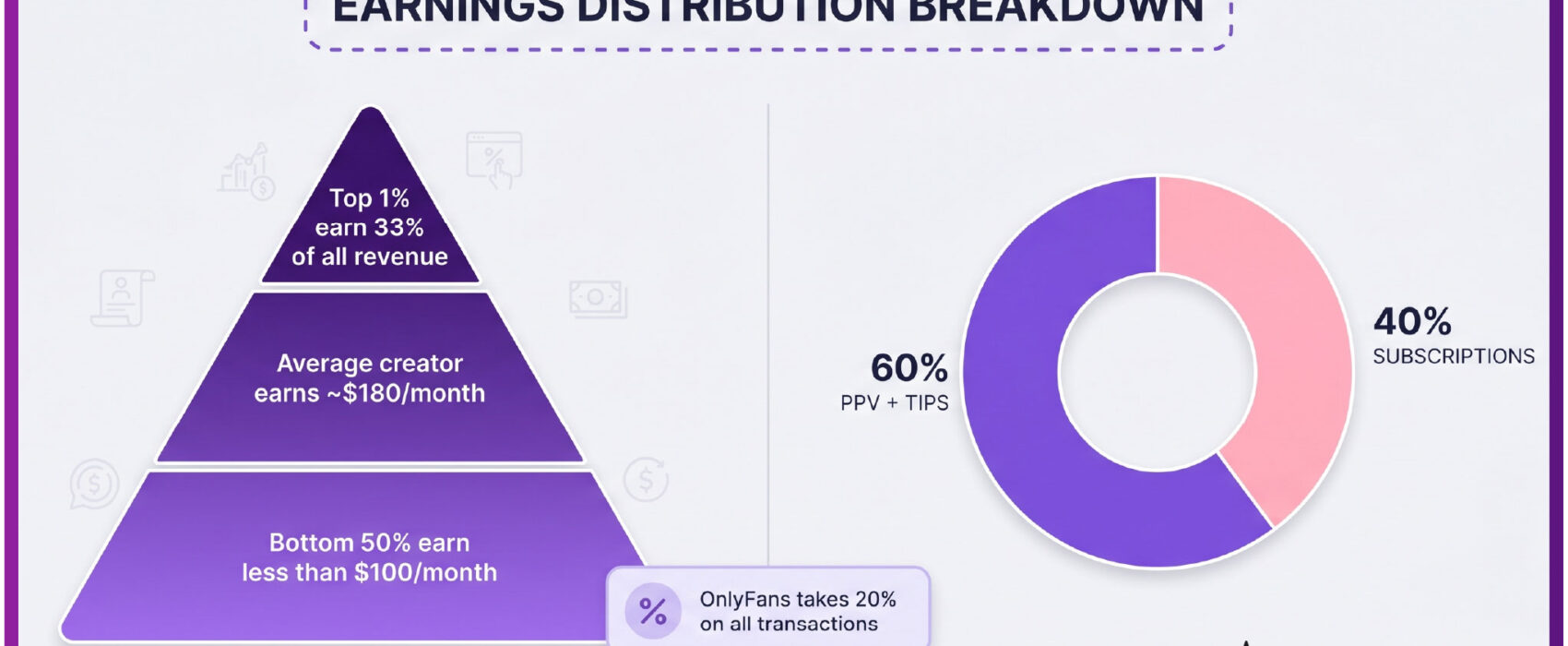
The platform takes 20% of everything and the creator keeps 80%, but that split applies to what the creator receives, not to what you pay. Your budget math is simpler: subscription price plus any tips or pay-per-view unlocks you choose.
With one active slot, a pay-per-view unlock up to $50 or a paid chat message at $3-$5 per message eats a larger share of the monthly allowance. Plan those separately from subscription costs.
Scheduling Tools and Calendar Integration Methods
Rotation fails without tracking. The platform will not warn you that two charges are about to land in the same week, and your bank will not flag a subscription renewal as unusual after the second month.

Any reliable system needs three dates per subscription: the start date, the next charge date, and your planned cancellation date. The third one is the one people forget, and it is the one that determines whether the rotation stays on schedule.
- A dedicated calendar layer for subscriptions only, kept separate from personal events.
- A reminder app configured with 48-hour advance notices before each renewal.
- A spreadsheet calculating cost-per-day for each active subscription.
- Banking app category tagging so subscription charges appear as a single monthly figure.
- Watchlists on ranking sites with price alerts for creators you plan to rotate in.
Timezone differences in renewal processing mean a cancellation made on the same day can occasionally be too late, and the charge goes through anyway.
Choosing Between Reminder Types
Calendar entries work best for planned rotations. Push notifications work best for reactive decisions, like cancelling when a creator’s posting slows.
BestOnlyFans Data for Identifying High-Value Rotation Targets
Some creators produce enough material that a single month of access covers weeks of viewing. Others post lightly, which makes a one-month window poor value regardless of price.
Ranking metrics help you prioritize. The BestOnlyFans methodology, for example, weighs posting frequency, catalogue depth, and price stability to indicate which creators justify a limited subscription window.
| Ranking Metric | Rotation Relevance | Application Method |
|---|---|---|
| Posting frequency | Predicts content volume inside a one-month window | Prioritize creators posting several times weekly |
| Catalogue depth | Determines how much archive exists to browse | Favor deep archives for monthly-only access |
| Price stability | Signals whether renewal pricing will hold | Avoid frequent price changes when budgeting tightly |
A useful habit is building a shortlist of ten to fifteen creators ranked by these indicators, then feeding them into the rotation queue in order. When a slot opens, you subscribe to whoever is next rather than deciding in the moment.
Cross-checking a curated list of best onlyfans top profiles against your own shortlist takes a few minutes and usually confirms whether your queue order still makes sense.
Managing Creator-Specific Content Timing and Posting Schedules
Rotation timing is not only about billing. A subscription window that misses a creator’s posting rhythm wastes days of access.

Four patterns cover most creators, and each has a different ideal start point.
- Daily posters: any start date works, since content arrives continuously.
- Weekly batch uploaders: subscribe the day before their typical upload day.
- Live stream dependent: subscribe shortly before a publicly announced stream.
- Irregular posters: higher risk in a rotation model, better suited to hybrid slots.
A week of casual observation costs nothing and prevents a poorly timed window.
Warning: an irregular poster can consume a full rotation slot while publishing almost nothing. If a creator’s public posting is sparse, place them in a hybrid test slot rather than a primary one.
Handling Promotional Periods and First-Month Discounts in Rotations
Promotional first months are allowed to sit below the standard $4.99 minimum — a $3 first month is a legitimate offer. Base prices may not go below $4.99, so any figure under that is necessarily a temporary promotion.
Three first-month promotions started in the same billing cycle produce three charges at once, which defeats the purpose of staggering. The clean approach is to treat a promotion as a slot-filler rather than an addition. If a discounted first month appears for a creator on your shortlist, move them to the front of the queue and pause the next standard subscription instead of running both.
Tracking When Promotions End
Record the standard price alongside the promotional price for every discounted subscription. When the first month ends, the renewal reverts to the base price, and your budget projection needs to reflect that jump.
Common Rotation Mistakes That Wreck Monthly Budgets
Each one is avoidable with a calendar entry and a moment of attention.
- Forgetting that cancelling stops the next renewal, not current access — you keep access until the paid period ends.
- Misreading the next charge date as the access end date, which leads to premature re-subscription.
- Stacking several first-month promotions inside one billing cycle.
- Ignoring timezone differences in renewal processing when cancelling at the deadline.
- Losing track of creator content during gap periods and paying twice for the same material.
- Re-subscribing emotionally without checking whether the price changed.

The last item deserves emphasis. A price change stops auto-renew and ends access at the close of the paid period, so the figure you remember may no longer be current. Check before you re-subscribe, and enable two-step authentication if you are managing multiple payment events.
One final administrative note: card verification places a $0.10 hold that is refunded within days. It is not a subscription charge, but it can appear alongside one and confuse a tight budget review.
FAQ
If I cancel a subscription mid-month, can I resubscribe to a different creator immediately with the same budget allocation?
Yes. Cancelling stops the next renewal while your current access continues until the paid period ends. You can subscribe to a different creator right away, but be aware that the new subscription starts a new billing anchor, so you may briefly hold two overlapping payment periods.
How do I avoid accidentally paying for two subscriptions in one month during a rotation transition?
Set the new subscription to start after the old one’s access period closes, and keep a 48-hour reminder before every renewal. If both charges would fall in the same calendar month, delay the new subscription by a few days to push its anchor into the next cycle.
Does pausing instead of canceling work better for subscription rotation strategies?
Pausing is not a standard option across all subscriptions, and its availability depends on the creator’s settings. Cancelling is the more predictable method because it stops auto-renew reliably and preserves access until the paid period expires.
Can I use OnlyFans wallet credits to make rotation scheduling more precise?
Wallet credits can cover individual purchases, but they do not change how subscription renewals are anchored. They are most useful for pay-per-view unlocks up to $50 and paid chat at roughly $3-$5 per message, which keeps those costs separate from your subscription budget line.